bolt System-wide context actions

SwiftBiu

Bring text, file, OCR, and plugin actions to the place where you already work.

Støtter AI Multimodal (tekst-til-tekst, tekst-til-bilde), JS-plugins og HTML-utvidelser. Velg tekst i hvilken som helst app, en verktøylinje vises, og oppgaven fullføres i ett trinn.

text_fields Text actions folder_open File workflows document_scanner OCR capture extension JS and Web plugins

Gratis i App Store

SwiftBiu Notes
format_paint ios_share
SwiftBiu Demo Text, file, OCR...
Meeting Notes Rewrite this paragraph
Shopping List Share with AirDrop
May 21, 2026 at 4:40 PM
Hello SwiftBiu
Polish this release note
Draw SwiftBiu icon
translate Translate
English arrow_forward Chinese
auto_awesome SwiftBiu AI Analyzing
Replace Append Applied
palette Generated Image
SwiftBiu logo

Draw SwiftBiu icon

SwiftBiu Files
view_column more_horiz
vacation.jpg8.4 MB
portrait.png5.9 MB
banner-shot.heic14.2 MB
presentation.mp4184 MB
trailer-cut.mov422 MB
screen-recording.mp496 MB
2 files selected 134.4 MB total
Quick Actions Image compression
keyboard_command_key Shortcut or gesture detected
compress Compressing 0%

Compressing 2 files

0 / 2 --
LaunchPoster.webp -78% ProductDemo.mp4 -63%
Finder · Downloads
view_column more_horiz
launch-poster.png 8.4 MB · Image
add south Hold ⌥ to confirm

south Drag down to download

download_done
Saved to Downloads launch-poster.png · 8.4 MB
Preview · invoice.pdf
crop_free more_horiz
SwiftBiu — context actions for text, files, OCR & plugins.
0 × 0

SwiftBiu — context actions for text, files, OCR & plugins.

SwiftBiu — 上下文动作平台,覆盖文本、文件、OCR 与插件。

document_scanner Frame text on screen with a shortcut

O Press to start OCR

Real SwiftBiu text, AI, image, and file workflows on macOS.

What it handles

Funksjoner bygget for hastighet

Fra oversettelse til komplekse arbeidsflyter er SwiftBiu designet for å få ting gjort raskest.

text_fields

Text actions

Select text in any app and turn the selection into useful output without breaking your flow.

  • check_circle Translate, search, format, copy, cut, paste
  • check_circle Open links and route selected text into plugins
  • check_circle Run AI text and image actions from the toolbar
folder_open

File actions

Drag files or links into directional triggers and launch the exact file workflow you need.

  • check_circle Image and video compression
  • check_circle Image format conversion and background removal
  • check_circle AirDrop, system share, reveal in Finder, open with app
document_scanner

OCR actions

Capture a region of the screen, extract text, then copy, translate, or keep processing it.

  • check_circle Screen-region text recognition
  • check_circle Automatic copy or translation
  • check_circle Send OCR text to toolbar actions
extension

Plugin actions

Build your own action layer with JavaScript plugins or richer HTML extensions.

  • check_circle Text, file, and automation APIs
  • check_circle Dedicated shortcuts for favorite plugins
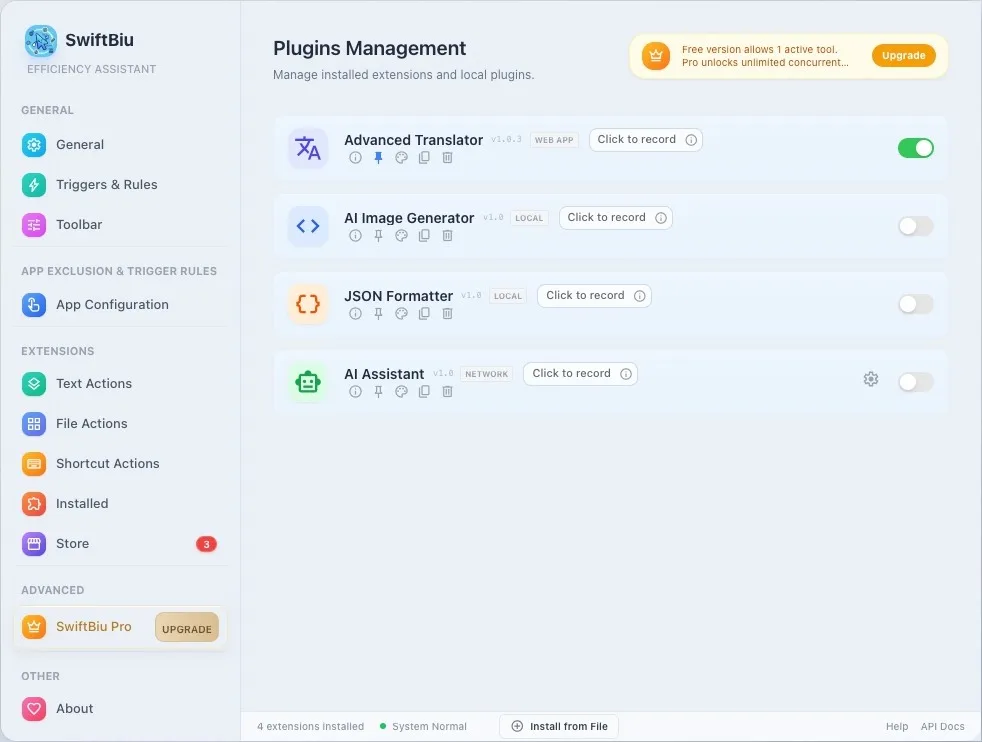
  • check_circle Custom plugin sources and extension store
campaign

Siste versjon

Drag-utløsere, filhandlinger og raskere OCR.

  • drag_indicator Drag-utløsere for filer 4/8-retninger, drag + snarvei-timing, app-spesifikke regler.
  • auto_fix_high Nye filhandlinger Bildeformat-konvertering, fjerning av bakgrunn, AirDrop og delbare snarveier.
  • speed Raskere OCR og UI Optimalisert OCR, raffinert UI, mindre minnebruk, mer stabilitet.
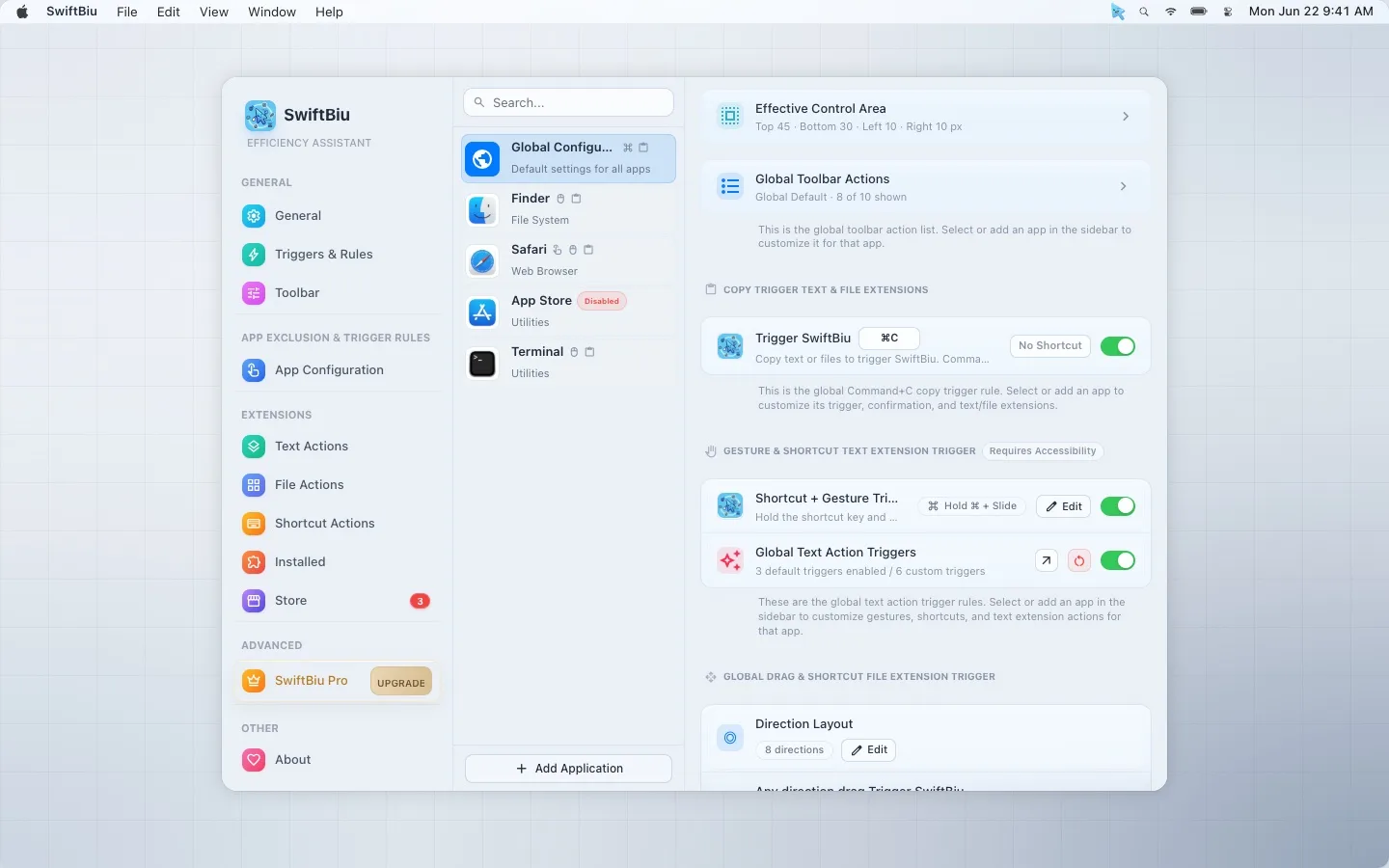
SwiftBiu per-app trigger configuration screen

Trigger system

Use one gesture differently in every app.

SwiftBiu can inherit global defaults or apply app configurations, so the same motion can open a toolbar in one app, run a plugin in another, and stay silent where it would interrupt you.

  • content_copy Copy trigger Use Command-C, replace it in Enhanced Mode, or require a confirmation shortcut before the toolbar appears.
  • swipe Gestures and shortcuts Double tap, swipe left or right, combine gestures with shortcuts, or bind a gesture directly to one action.
  • drag_indicator File drag routes Map 4- or 8-direction drags to different file plugins and combine drag timing with modifier keys.
  • apps App configurations Tune copy triggers, active screen areas, gestures, drag routes, and toolbar actions for each application.

Use cases

Small actions that remove a lot of friction.

SwiftBiu is built for the moments where opening another app is slower than acting where the content already is.

translate

Translate where you write

Highlight a sentence in Mail, Safari, Notes, or an editor and translate without switching context.

compress

Prepare files faster

Compress images or videos, convert formats, remove backgrounds, and share from the drag gesture.

document_scanner

Read text from the screen

Frame a screenshot area, extract text, then copy, translate, or pass it into your own workflow.

Extensibility

Turn repeat work into local, reusable actions.

SwiftBiuX plugins live beside built-in actions. They can appear in the toolbar, run from shortcuts, and participate in Quick Triggers.

  1. 1 Choose the context Selected text, files, links, OCR text, or the current app can decide what should happen.
  2. 2 Attach the trigger Use toolbar buttons, dedicated shortcuts, gestures, drag directions, or per-app routes.
  3. 3 Run the workflow Paste output, show a notification, call an AI service, share files, or open a Web extension UI.
extension SwiftBiuX
Les utviklerguiden
{
  "context": ["selectedText", "files", "ocrText"],
  "triggers": ["gesture", "shortcut", "drag"],
  "actions": ["translate", "compress", "share", "ai"]
}

Privacy and feel

Native where it matters, explicit where data leaves your Mac.

SwiftBiu is a Mac-first utility, not a web wrapper. Local text handling stays local; external translation or AI requests happen only when you trigger an action that needs that service.

lock

Local by default

SwiftBiu does not collect or store selected text.

speed

Fast native UI

Swift and AppKit keep the toolbar light and responsive.

tune

Highly configurable

Control layout, trigger timing, action order, shortcuts, and app configurations.

developer_mode

Developer friendly

Extend the tool with JavaScript and HTML using the SwiftBiuX template.

Velg din plan

Start gratis og lås opp kraftige funksjoner med en Pro-lisens.

Gratis

For vanlige brukere som trenger essensielle verktøy.

$0
  • check_circle Installer ubegrensede plugins
  • check_circle Aktiver én plugin
  • check_circle Opprett og bruk avanserte plugins
  • check_circle Tilgang til alle API-er
  • check_circle Fellesskapsstøtte
download Kom i gang

Pro

For profesjonelle som krever ubegrenset kraft.

$9.99 / engangskjøp
  • check_circle Alt i gratisversjonen
  • check_circle Aktiver flere plugins samtidig
  • check_circle Prioritert støtte
  • check_circle Alle fremtidige Pro-funksjoner
  • check_circle Støtt utvikleren ❤️
workspace_premium Skaff Pro-lisens

Ofte stilte spørsmål

Har du spørsmål? Vi har svar. Hvis du ikke finner spørsmålet ditt her, er du velkommen til å kontakte oss.

SwiftBiu is a macOS context action platform for text, files, OCR, plugins, and automation workflows.

No. It started with selected text, but now also supports file actions, drag triggers, OCR capture, dedicated shortcuts, app configurations, JavaScript plugins, and HTML extensions.

It overlaps with them in some workflows, but focuses on context actions next to selected text, files, links, and screen text rather than launching a separate command palette.

SwiftBiu supports macOS 12.0 Monterey and later.

Local actions stay on your Mac. Text or files are sent to external services only when you explicitly run an action that requires that service, such as translation or AI.

Make every selection useful.

Install SwiftBiu, give your everyday Mac actions a faster home, and extend it into the workflow layer you actually want.