
Built-in text tools
Translate, search, copy, cut, paste, open links, and format text without manually moving the text into another app first.
Text actions on macOS
Select text in Mail, Safari, Notes, editors, or chat apps and SwiftBiu can put actions beside the selection. Use the toolbar for visible choices, or bind a dedicated shortcut or gesture when you want one action to run directly.
Quick answer
SwiftBiu turns selected text into an action point on macOS. It can expose built-in copy, translation, search, formatting, AI, and plugin actions near the selection, while shortcuts and gestures can bypass the toolbar for repeated workflows.
Verified 2026-09-14
Translate, search, copy, cut, paste, open links, and format text without manually moving the text into another app first.
Send selected text into rewrite, polish, prompt-driven processing, or other configured AI actions from the same context layer.
Pass selected text into JavaScript plugins or richer HTML web extensions and return the result to your workflow.
Select a sentence or paragraph, open SwiftBiu beside the selection, and run Translate without first opening a separate translation app.
Use a search engine action for a phrase, or open selected URLs directly when the selected text represents a link.
For workflows you repeat often, bind a compatible built-in action or plugin so the selected text can skip the toolbar and go straight to that action.
SwiftBiu lets you control which actions appear and how the selection toolbar is arranged, so frequent text actions can stay visible while less-used actions stay out of the way.
Read the Text actions section in the guide →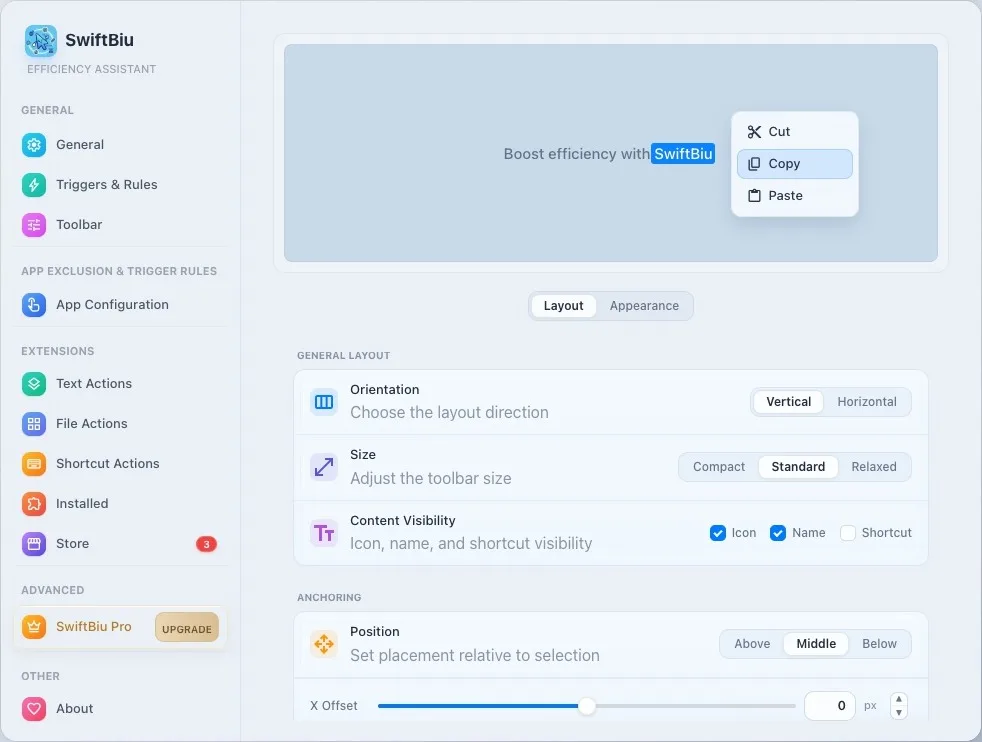
Use SwiftBiu as a PopClip-style selection toolbar that also covers files, OCR, and plugins.
Non-brand guide to the floating toolbar that appears when you select text on Mac.
Quick paste, open recognized file paths, and run actions on clipboard items—Free 100 / Pro 50,000.
Rewrite, polish, or translate highlighted text with AI without leaving the app.
See the built-in text workflows and trigger options in context.
Browse extensions that can process selected text.
Follow a focused translation workflow from selection to result without a separate copy-and-paste step.
Create a SwiftBiuX action for your own selected-text workflow.
Install SwiftBiu, select text in the app you are already using, and keep translation, search, AI, and plugin actions close to the selection.