System-wide context actions

SwiftBiu

Select. Then get it done.

SwiftBiu brings context actions to macOS and Windows. Translate, compress, run OCR or AI, and paste quickly—all without leaving the app you’re in. Build your own actions or install plugins shared by friends, and let SwiftBiu grow with your workflow.

Get on the Mac App Store

macOS + Windows Preview

Text Toolbar Live Preview
Select text in any application Select text anywhere on macOS

Mode 1: Horizontal Layout · Compact Icon Only

File Toolbar Live Preview
Select file in Finder product-shot.png PNG Image • 2.4 MB

Compress Image

What it handles

One action layer for text, files, OCR, and plugins

SwiftBiu follows your current context so common actions, advanced plugins, and AI workflows stay one gesture, shortcut, or toolbar click away.

  1. 01

    Choose the context

    Selected text, files, links, OCR text, or the current app can decide what should happen.

  2. 02

    Attach the trigger

    Use toolbar buttons, dedicated shortcuts, gestures, drag directions, or per-app routes.

  3. 03

    Run the workflow

    Paste output, show a notification, call an AI service, share files, or open a Web extension UI.

The demonstrations below show macOS. Windows settings, shortcuts, and some actions differ.

Start & workflows

Small actions that remove a lot of friction.

SwiftBiu is built for the moments where opening another app is slower than acting where the content already is.

快捷文本处理
SwiftBiu Notes
May 21, 2026 at 4:40 PM
Hello SwiftBiu
Polish this release note
Draw SwiftBiu icon
Translate
English Chinese
SwiftBiu AI Analyzing
Replace Append Applied
Generated Image
SwiftBiu logo

Draw SwiftBiu icon

01

Text actions

Select text in Mail, Safari, Notes, editors, or chat apps and the native toolbar appears beside the selection. Run an action there, or bypass the toolbar with a dedicated shortcut or gesture.

  • Use built-in actions for translation, search engines, link opening, clipboard helpers, and text formatting without switching apps.
  • Run AI rewrite, prompt-driven processing, Gemini-style actions, or text-to-image tools from the same toolbar.

Guide contents
快捷文件处理
Compress Images Complete
02

File actions

Authorize the folders you want SwiftBiu to use, then select or drag a file. Run a compatible action from the toolbar or throw the file toward a configured 4/8-direction route.

  • Compress one file or a batch and watch progress, output size, saved ratio, and generated files.
  • Map file drag directions to different actions. You can combine drag timing with shortcuts and customize routes per app.
Guide contents
本地屏幕 OCR
Preview · invoice.pdf
SwiftBiu — context actions for text, files, OCR & plugins.
0 × 0

SwiftBiu — context actions for text, files, OCR & plugins.

SwiftBiu — 上下文动作平台,覆盖文本、文件、OCR 与插件。

Frame text on screen with a shortcut

⌃ Press to start OCR
03

OCR capture & recognition

When text cannot be selected, trigger OCR and draw a screen region. SwiftBiu recognizes the content locally, then lets you copy, translate, summarize, or pass it into another action.

  • Press the OCR shortcut, draw a rectangle, and let SwiftBiu recognize the text inside that screen area.
  • Treat OCR text like selected text: send it into text actions, AI workflows, or your own SwiftBiuX plugins.
Guide contents
剪切板历史
Any App Input
Current app Input field

Press the shortcut, then move right to choose the first Clipboard item.

Waiting for Clipboard input
SwiftBiu 5 +
Click an item to insert it into the current input
Inserted at the cursor
04 · macOS

Clipboard history & quick paste (Fast file path opening)

Open the clipboard panel to browse items grouped by source app and content type. Paste an item in one step, open a recognized file path with the right app, or send it into another processing action.

Press your shortcut and Clipboard opens to the right of the pointer. Each row’s left preview, content, and timestamp zones can independently run Preview, Quick Paste, or Quick Copy.

  • Automatically categorize Safari links, VS Code code, and Finder file paths with fast open for local/text paths, enabling rapid search and navigation.
  • Click or double-click to paste history items directly, open recognized file paths instantly with target apps, or route into translation, AI, and export tools.
  • Bind each of the three click zones separately, putting the action you use most at the shortest pointer movement.
  • Mix Preview, Quick Paste, and Quick Copy however you like across text, images, files, and links.
Guide contents
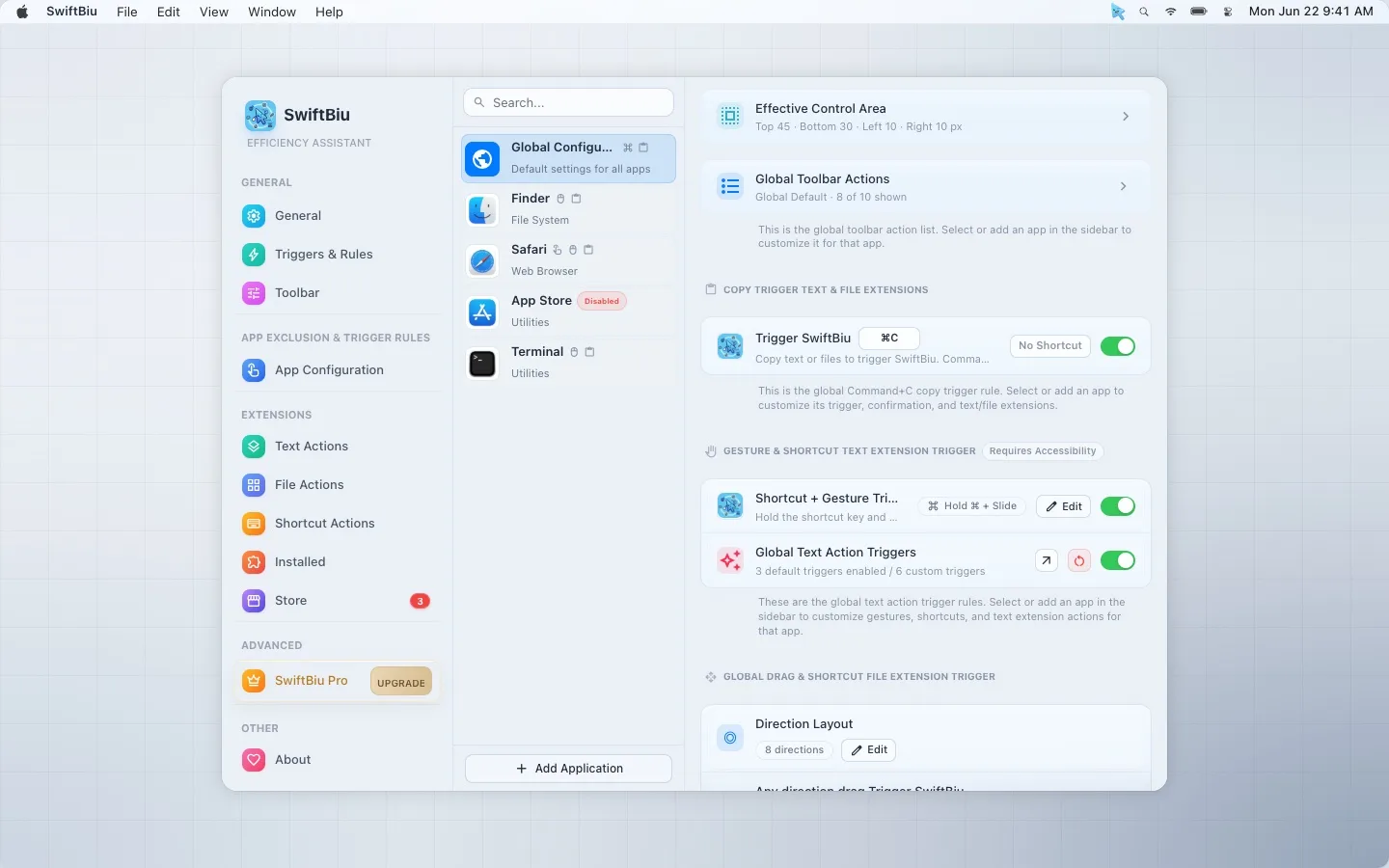
SwiftBiu per-app trigger configuration screen

Trigger system

Use one gesture differently in every app.

SwiftBiu can inherit global defaults or apply app configurations, so the same motion can open a toolbar in one app, run a plugin in another, and stay silent where it would interrupt you.

  • Copy trigger Use Command-C, replace it in Enhanced Mode, or require a confirmation shortcut before the toolbar appears.
  • Gestures and shortcuts Double tap, swipe left or right, combine gestures with shortcuts, or bind a gesture directly to one action.
  • File drag routes Map 4- or 8-direction drags to different file plugins and combine drag timing with modifier keys.
  • App configurations Tune copy triggers, active screen areas, gestures, drag routes, and toolbar actions for each application.

Extensibility

Turn repeat work into local, reusable actions.

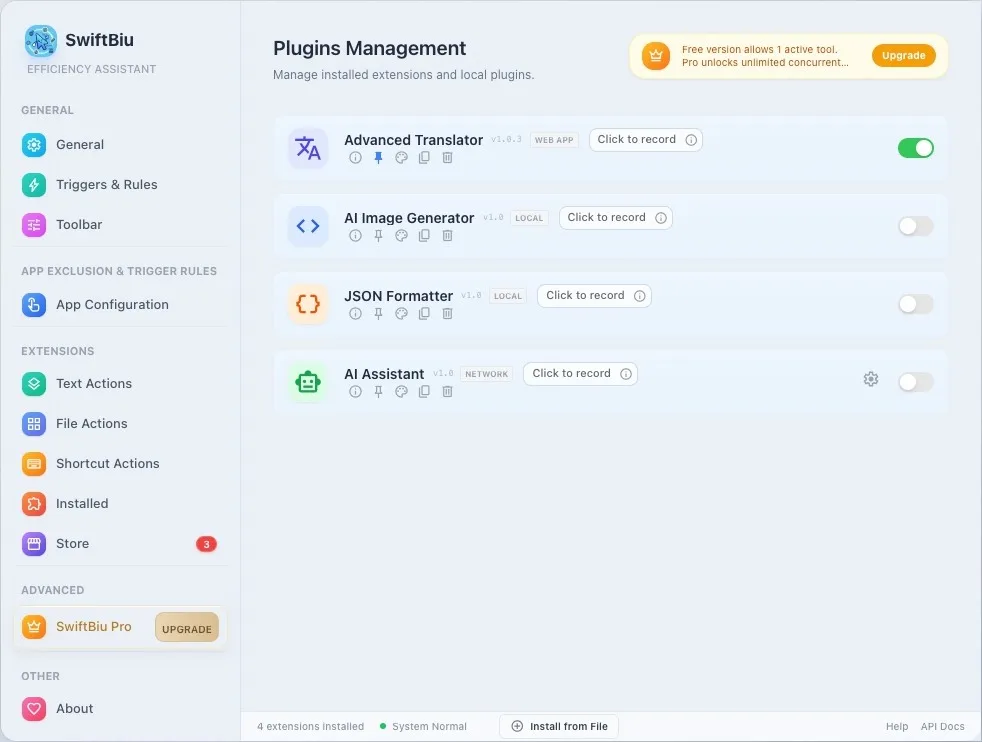
SwiftBiuX plugins live beside built-in actions. They can appear in the toolbar, run from shortcuts, and participate in Quick Triggers.

Read Developer Guide
Turn repeat work into local, reusable actions.

Privacy and feel

Native where it matters, explicit where data leaves your Mac.

Both editions run local actions on your device. External translation and AI services connect only when you choose an action that needs them.

Local by default

SwiftBiu does not collect or store selected text.

Fast native UI

Native desktop interfaces for macOS and Windows.

Highly configurable

Control layout, trigger timing, action order, shortcuts, and app configurations.

Developer friendly

Extend the tool with JavaScript and HTML using the SwiftBiuX template.

Compare

SwiftBiu vs PopClip, Raycast & Alfred

Scan core capability fit with ✓ / ◐ / —. Detailed comparison pages keep the full explanations and official sources.

CapabilitySwiftBiuPopClipRaycastAlfred
Text actions: translate, search, format, AI
File actions: compress, convert, drag routes
OCR: capture screen text and continue
Clipboard history: Aggregation, quick paste & fast file path opening
Launcher: customizable mini Dock for SwiftBiu settings, web extensions, apps, system settings, web links & shortcuts
Windows support
Plugins: JavaScript and web extensions
Core / first-partyDifferent model / extensionNot a core capability

Pricing

Choose Your Plan

Start free, then unlock heavier workflows when you need multiple active actions and priority support.

One website Pro license covers up to 3 devices across macOS website edition and Windows. The feature list below describes macOS stable; iCloud settings sync is macOS-only.

Essential workflow

Free

For casual users who need essential tools.

$0
  • Text actions free
  • Clipboard History: 100 items (macOS)
  • SwiftBiu Launcher: 3 actions (macOS)
  • File actions: manual switching required
  • Shortcut actions: manual switching required
  • Extensions: manual switching required
  • Copy Trigger Text & File Extensions
  • Gesture & Shortcut Text Extension Trigger
  • Global Text Action Triggers
  • Drag & Shortcut File Extension Trigger
  • OCR Recognition Trigger
  • Custom app trigger rules
  • Community support

Best for daily work

Pro

For people who want SwiftBiu to become a daily workflow layer.

$9.99 / one-time
  • All benefits of Free
  • Clipboard History: up to 50,000 items (macOS)
  • SwiftBiu Launcher: unlimited actions (macOS)
  • iCloud Sync (macOS)
  • File actions: enable multiple at once
  • Shortcut actions: enable multiple at once
  • Extension actions: enable multiple at once

More room for daily workflows

50,000 clipboard items, unlimited launcher actions, and multiple actions active together

  • Priority technical support
  • All future Pro features
  • Support the developer ❤️
Or purchase from the Mac App Store

Selecting this button takes you to Creem to complete checkout. Creem handles payments, invoices, and taxes. By purchasing, you agree to the Terms.

Frequently Asked Questions

Have questions? We've got answers. If you don't see your question here, feel free to contact us.

SwiftBiu brings context actions to macOS and Windows. Select text or files to run translation, AI, file actions, and plugins. Windows is currently in preview.

No. It started with selected text, but now also supports file actions, drag triggers, OCR capture, dedicated shortcuts, app configurations, JavaScript plugins, and HTML extensions.

It overlaps with them in some workflows, but focuses on context actions next to selected text, files, links, and screen text rather than launching a separate command palette.

macOS 12.0 Monterey or later · Apple Silicon / Intel. Windows 10 22H2 (x64) / Windows 11 · Separate x64 and ARM64 packages.

Local actions stay on your Mac. Text or files are sent to external services only when you explicitly run an action that requires that service, such as translation or AI.

Both versions share the same Pro license. To meet App Review Guideline 2.4.5 and App Sandbox requirements, the App Store build has limits on component inspection and script extensions; the website DMG provides the full automation feature set. Read App Review Guideline 2.4.5

Comparison Website version (DMG) App Store version
Accessibility (AX) and app hierarchy Inspects app component trees in detail for more precise detection, smarter triggering, and richer context. Uses basic detection without reading the full component hierarchy. Auto-triggering may occasionally miss, so the confirmation shortcut is recommended.
Shell / AppleScript actions and callbacks Fully supports Shell and AppleScript actions, can invoke Terminal or other apps, and can continue from command callbacks. App Sandbox prevents Shell / AppleScript actions, direct Terminal invocation, and callbacks from external commands.
Software updates The app checks GitHub Releases and verifies update signatures before installation. Updates are managed and distributed by the Mac App Store.
Purchase and activation Buy online by credit card or Alipay. A personal activation code is generated and delivered automatically for manual entry. Purchase in the app with your Apple ID and activate automatically.
License sharing across Macs and editions Reads an App Store purchase through shared Keychain and iCloud, so the same Pro license works in the DMG build. Activate up to 3 Macs on the same account, with the device allowance managed through iCloud.

Windows is a preview with an evolving feature set. Verified on Windows 10 x64; Windows 11 and ARM64 still need hardware validation.

The same website purchase code activates macOS website edition and Windows, with 3 devices in total. Windows needs no iCloud; settings do not sync between platforms. App Store buyers need a Mac client that supports cross-platform licensing to obtain their code.

Make every selection useful.

Install SwiftBiu to handle everyday tasks faster on macOS and Windows.

Ask questions, share plugins, and get help from the SwiftBiu community.