
Compress images and video
Run single-file or batch compression and keep the workflow attached to the files you selected.
File actions on macOS
SwiftBiu extends its context-action model beyond text. Select or drag compatible files, then run compression, conversion, sharing, Finder integration, or another enabled file action without building a separate automation first.
Quick answer
SwiftBiu can act on selected or dragged files on macOS. Built-in file actions include image and video compression, image format conversion, background removal, AirDrop, system sharing, Open With, Reveal in Finder, and other context-appropriate workflows.
Verified 2026-08-12
Run single-file or batch compression and keep the workflow attached to the files you selected.
Convert supported image formats or run background removal when the selected file type matches the action.
Use AirDrop, system Share, Open With, Reveal in Finder, and other enabled system-level file actions.
Select several images, run the image compression action, and keep progress and generated output in the same workflow.
Choose a supported image, run the format conversion action, then continue with AirDrop or system Share if needed.
Use Reveal in Finder, Open With, AirDrop, or Share directly from SwiftBiu instead of navigating through several menus.
The current macOS app exposes built-in file extensions and compatible actions in the same configurable action system used by other SwiftBiu workflows.
Read the File actions section in the guide →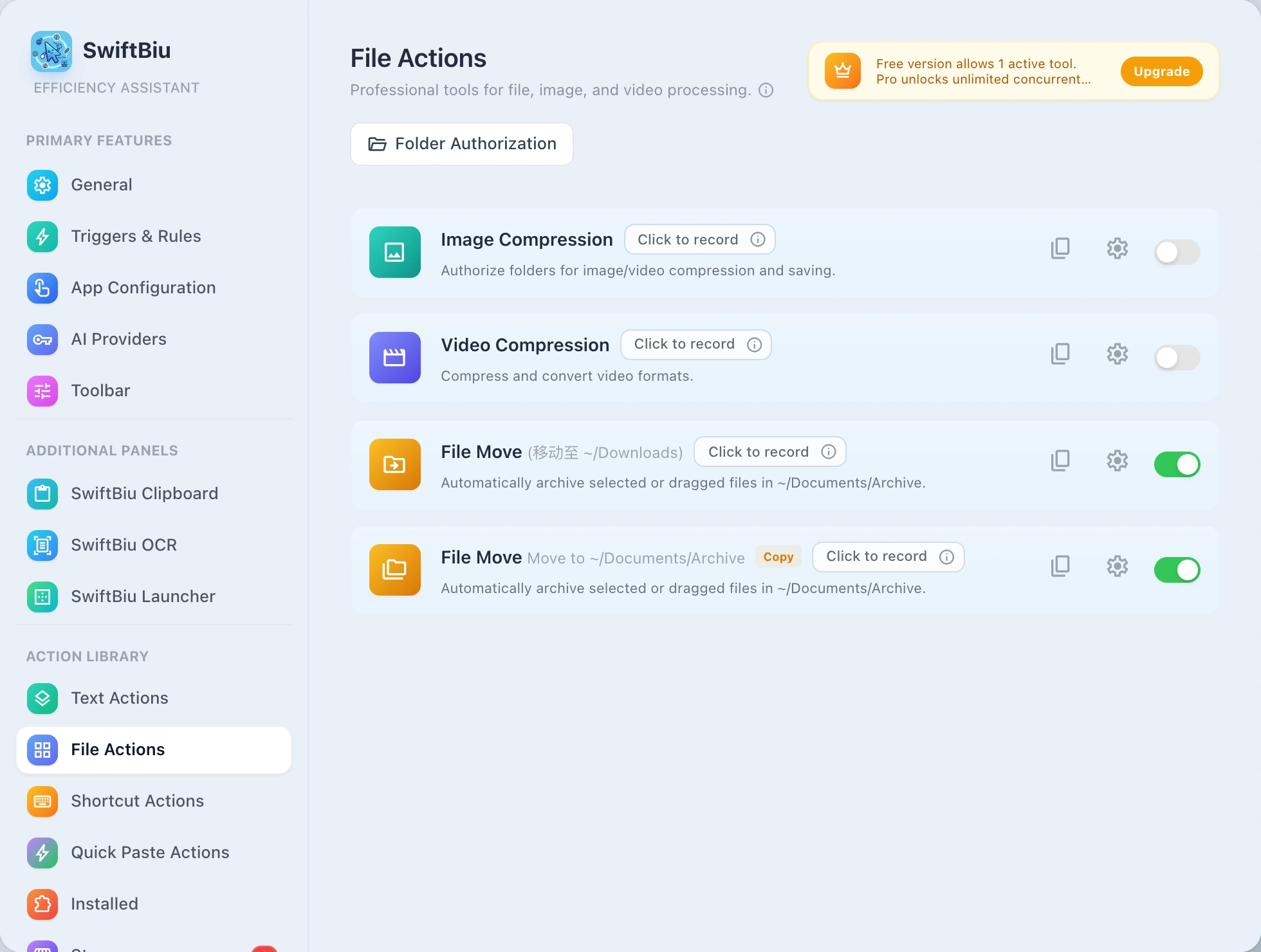
Batch compress from a selection, drag direction, shortcut, or clipboard item and see saved ratio.
Open copied file paths and hand clipboard media into compression, conversion, and share actions.
See folder authorization, built-in file actions, and file workflow details.
Route files to different actions by drag direction.
Explore custom fileAction workflows for SwiftBiuX.
Install SwiftBiu and keep compression, conversion, sharing, and file-routing actions available from the context where the file already is.