
4-way or 8-way routes
Assign different actions to different drag directions so one gesture family can handle several file workflows.
Directional drag triggers
SwiftBiu can treat a file or link drag as a trigger instead of only as a move operation. Configure a 4-direction or 8-direction radial layout, map directions to compatible actions, and optionally vary those routes by app.
Quick answer
SwiftBiu drag triggers let you drag a file or link toward a configured direction and run the action assigned to that route. Routes can use 4-way or 8-way layouts, combine with shortcuts, and be overridden per app.
Verified 2026-08-12
Assign different actions to different drag directions so one gesture family can handle several file workflows.
Use drag timing with a shortcut when you want more routes without overloading a single gesture.
Let the same direction run different actions in Finder, an editor, or another configured app.
Drag an image into the direction assigned to Image Compression and run the file action without first opening a separate tool.
Keep AirDrop or system Share on a different route so the same drag gesture family can choose between processing and sending the file.
Use an app-specific configuration so one direction can compress in one app and launch a plugin or another file action in another.
SwiftBiu exposes trigger rules in Preferences so copy, shortcut, gesture, and drag behavior can be configured rather than hard-coded.
Read the Trigger system section in the guide →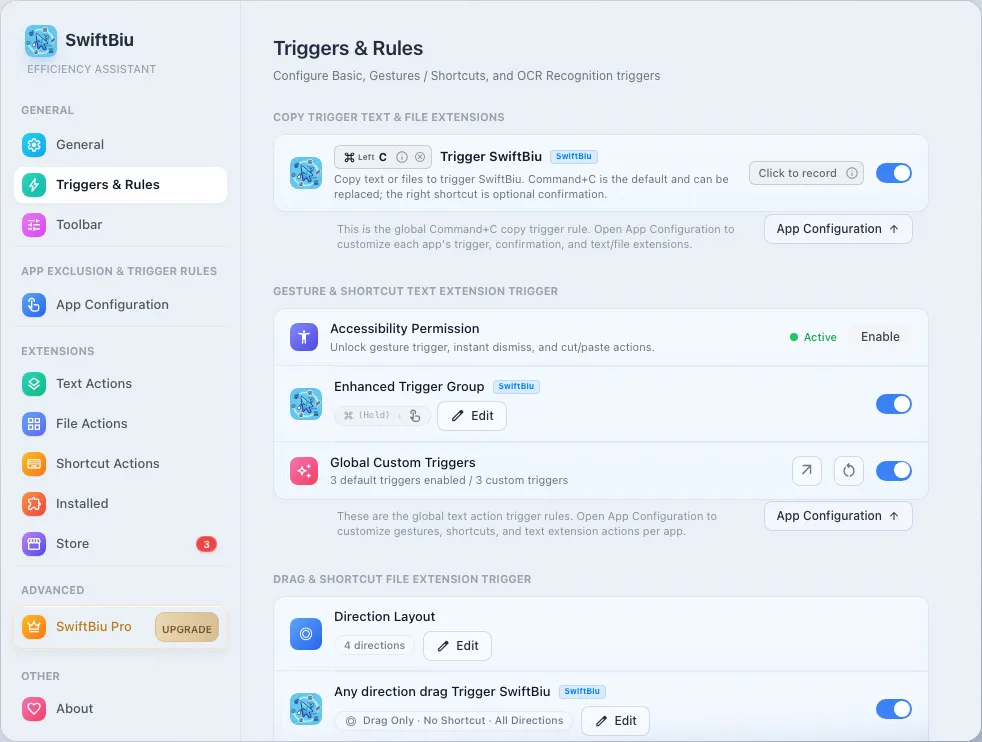
Map a drag direction to Image Compression and another to AirDrop or Share.
See shortcut, gesture, payload, and app-routing controls.
Review the file operations you can place behind compatible routes.
Override trigger behavior for individual apps.
Configure SwiftBiu drag routes so direction, shortcut timing, and app context can send a file to the workflow you intended.