Direct answer
Direct answer
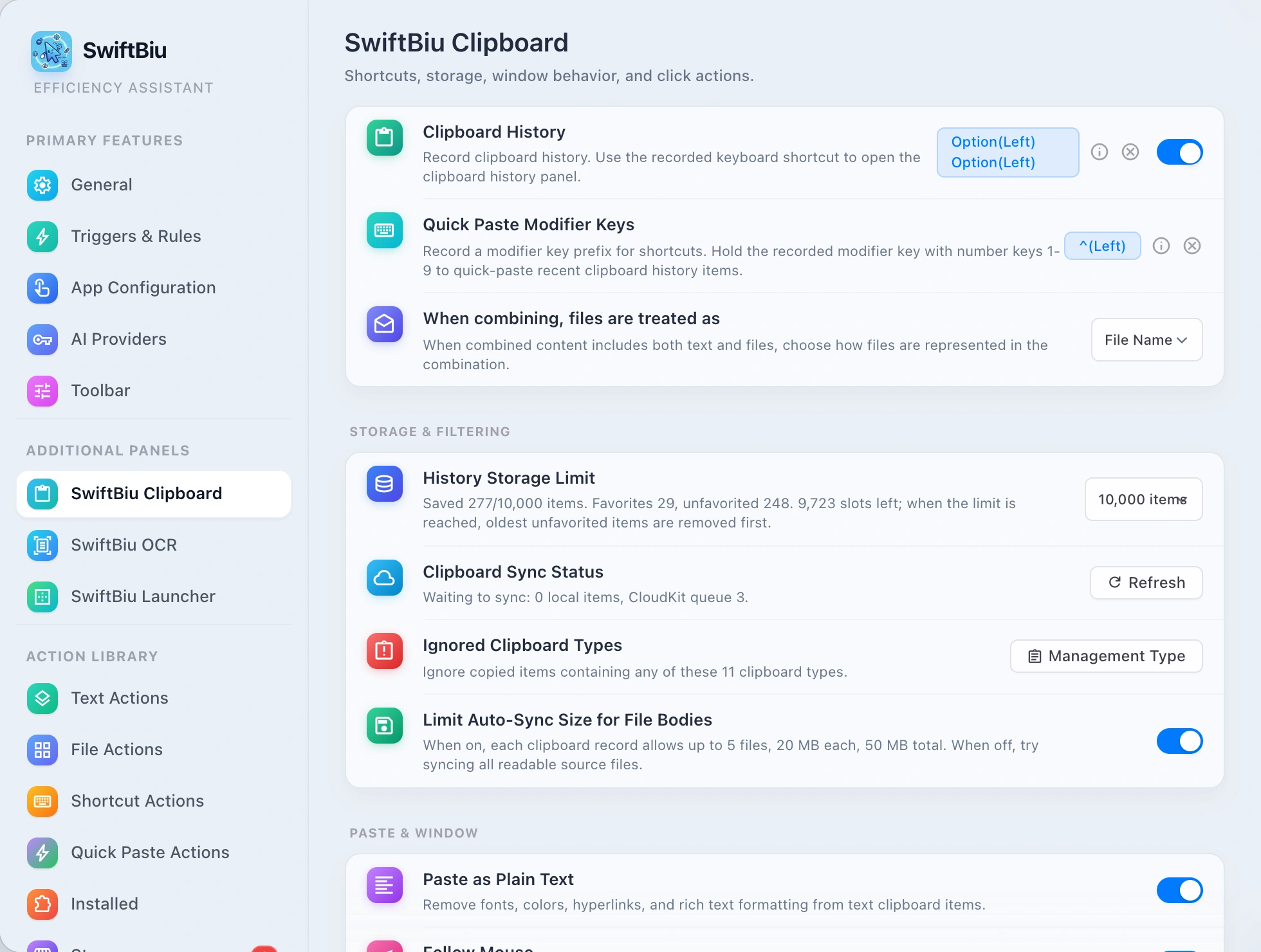
Press your SwiftBiu clipboard shortcut to open history beside the pointer. Browse items grouped by source app and content type, then quick-paste, quick-copy, preview, open a recognized file path, or route the item into another SwiftBiu action. Free keeps 100 clipboard history items; Pro raises the limit to 50,000 and unlocks related Pro features for $9.99 one-time (App Store local pricing may vary).
Verified 2026-10-12
Problem
Clipboard managers store history—workflow tools need the next action
After you copy a snippet, link, image, or file path, the next job is rarely “find it later in a list.” You usually need to paste into the active field, open a local path, or hand the content to translate, AI rewrite, compress, or export. A standalone clipboard manager is excellent for retention and search, but it often stops at paste. Switching from a clipboard hub into a separate selection toolbar, OCR tool, or file utility recreates the context switching clipboard history was meant to reduce.
SwiftBiu
Treat clipboard history as an action portal, not only a paste list
SwiftBiu clipboard history aggregates copies by source app and type, then keeps actions on the item itself: Preview, Quick Paste, and Quick Copy via configurable click zones; open recognized local/text paths with a chosen app; or send text, images, files, or links into matching SwiftBiu extensions and workflows. The same Free + $9.99 one-time Pro product also covers the selection toolbar, local OCR, file drag routes, and plugins—so clipboard history is one entry point into the broader context-action layer, not a separate clipboard-only product.
Alternative: a dedicated clipboard manager or the system pasteboard alone
macOS already keeps the latest pasteboard item, and dedicated clipboard managers remain the right fit when you primarily need deep search, pinning, snippets, or very specialized clipboard UX. SwiftBiu is most useful when clipboard history should also open paths, trigger pipelines, and sit beside selection toolbar, OCR, file drag routes, and plugins in one Free + $9.99 one-time Pro product. If you only need a long paste list with no actions beyond paste, a clipboard-only app can stay simpler.
Keep clipboard history attached to the next action
Install SwiftBiu, set a clipboard shortcut, and use quick paste, path open, or action hand-off from the same history panel—inside the Free + $9.99 one-time Pro product that also covers selection, OCR, and files.