
Accessibility & Custom Trigger Keys
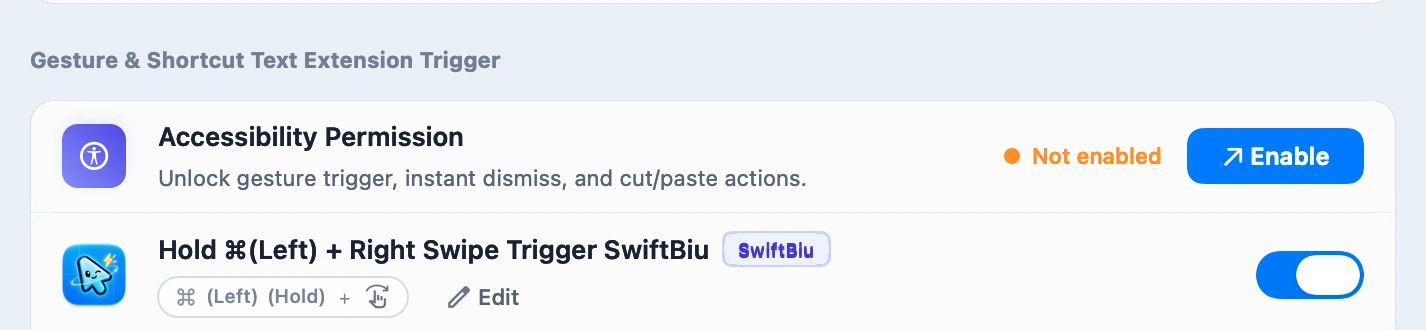
After the copy workflow, enable Accessibility to replace the primary trigger with ⌥ or another supported shortcut.
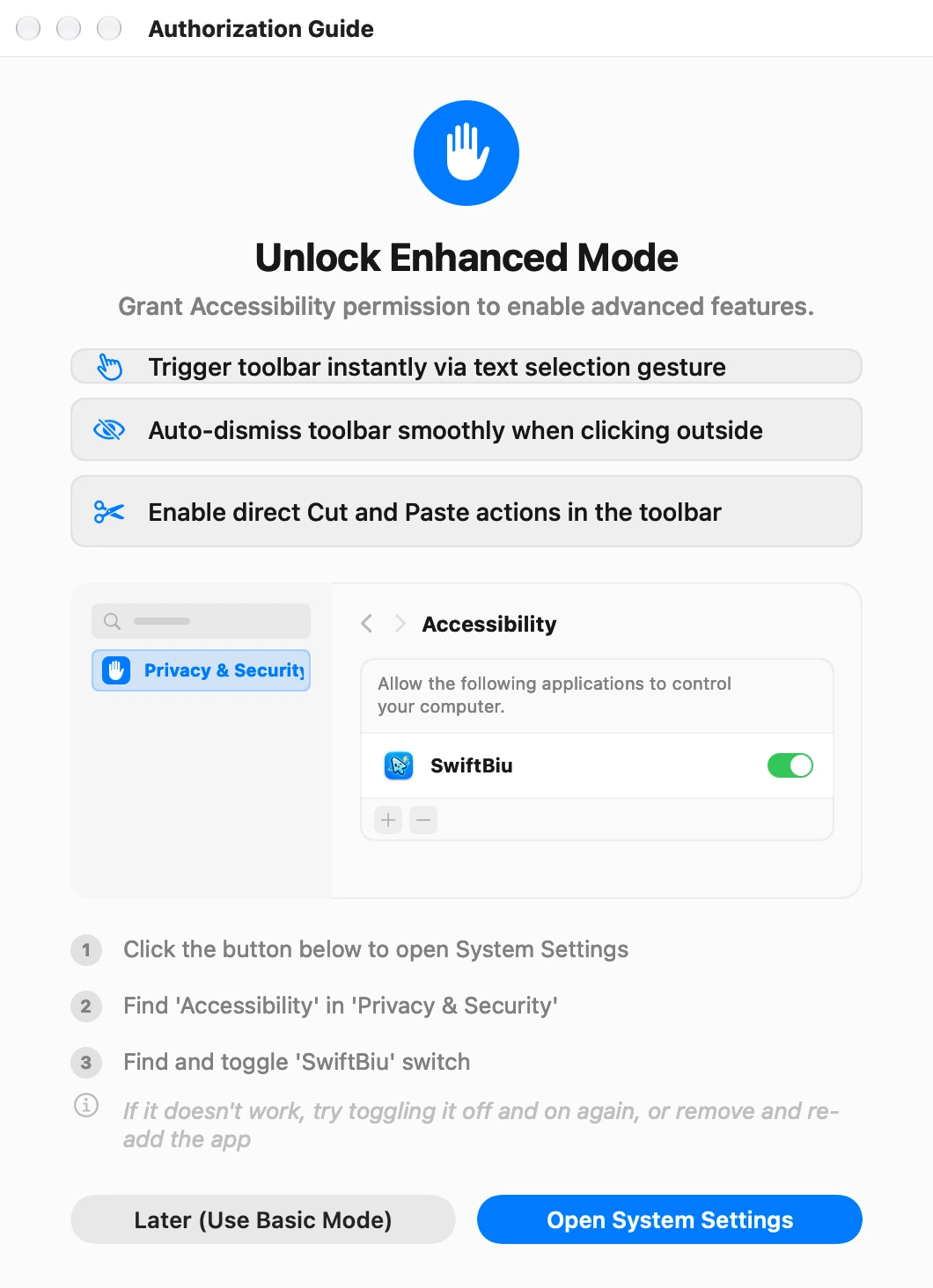
Captured client interfaces with sample data; blue outlines are guide annotations.
The video could not load. Use the 3-step walkthrough below.
Follow the actual permission screens
Key Highlights
Progressive setup
After the copy workflow, enable Accessibility to replace the primary trigger with ⌥ or another supported shortcut.
Edition-Aware Permission Flow
Direct Edition guides Accessibility setup while App Store Edition routes cleanly to sandbox-safe triggers.
Reusable Folder Authorization
Authorize the working folder to reuse access for files inside it; a file moved outside that folder may need a new grant.
On-Demand Screen Recording
Screen Recording is requested only when you first run SwiftBiu OCR, never required just to use text actions.
Custom Configuration
View all 7 custom options & thresholds
Troubleshooting
Expand common questions & fixes (3)
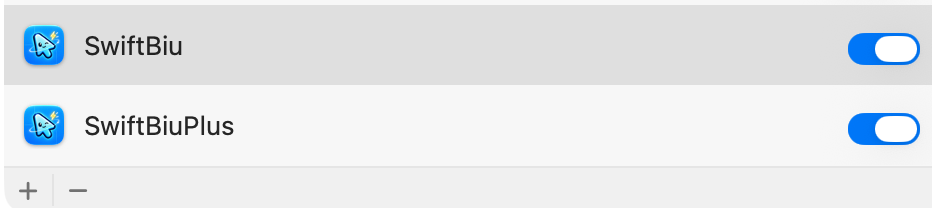
Accessibility toggle is already on, why does selection still fail?
Quit SwiftBiu first. Select the installed edition in this permission list and use − to remove its permission entry. Use + to add the current app from Applications, then enable its switch. Reopen SwiftBiu and retry the enhanced gesture or action.
Why does Screen Recording ask to quit and reopen?
macOS applies new Screen Recording grants only after the app restarts.
Why did Compress Image ask for folder access?
In General → Folder Authorization, add the folder containing the file, then check the output location and try again.