Use case · PopClip for Windows

PopClip for Windows? SwiftBiu Windows Preview — Selection Toolbar for Windows

PopClip is a Mac-only selection toolbar (popclip.app). If you searched for PopClip for Windows, there is no official PopClip Windows build. SwiftBiu ships a Windows preview that keeps the same habit—select text, a toolbar appears beside the selection, then run Translate (built-in window), AI, file actions, or plugins. This page covers what the preview includes, what still differs by platform API, and how to try the x64 or ARM64 installer without treating the preview as a finished Windows PopClip clone.

  • Windows preview
  • Selection toolbar
  • PopClip for Windows
  • Translate
  • 0.6.89

Direct answer

Direct answer

There is no official PopClip for Windows. SwiftBiu’s Windows preview (version 0.6.89) is a selection-toolbar style workflow for Windows 10 22H2 (x64) / Windows 11 with separate x64 and ARM64 installers. Highlight text to open the toolbar, choose Translate to open SwiftBiu’s built-in translation window, or run other preview-supported actions (translation/AI, file actions, plugins). It is still a preview: verified on Windows 10 22H2 x64; Windows 11 and ARM64 hardware validation are incomplete, and platform-specific APIs mean feature availability differs from the macOS stable catalog.

Verified 2026-11-09

Problem

People want a PopClip-style toolbar on Windows—and keep hitting Mac-only answers

Search results for “PopClip for Windows” and “PopClip alternative Windows” mostly show PopClip’s Mac product, forums, or unrelated Windows toolbars. PopClip itself remains Instant text actions for macOS. Dual-machine users who already rely on a selection toolbar on Mac then lose that habit on a Windows PC, and generic Windows utilities rarely match the select-text → act-immediately loop.

SwiftBiu

Use SwiftBiu’s Windows preview for the selection-toolbar habit—with preview honesty

SwiftBiu’s Windows preview targets the same interaction people mean by PopClip on Windows: select text in a supported app, the selection-adjacent toolbar appears directly (no radial wheel), then pick an action such as Translate to open the built-in translation window. The published Windows preview scope includes selection toolbars, translation and AI, file actions, and plugins. Platform-specific APIs and feature availability still differ from macOS stable—do not assume every Mac-only capability (AirDrop, Reveal in Finder, iCloud sync, App Store edition, and other macOS-catalog items) is present on Windows.

How to try the Windows preview as a PopClip-style toolbar

  1. 1

    Download the matching Windows preview build

    Get SwiftBiu Windows preview 0.6.89: x64 or ARM64 ZIP from the official release. Target systems are Windows 10 22H2 (x64) / Windows 11. Prefer x64 on verified Windows 10 22H2 hardware first.

  2. 2

    Install the preview and allow accessibility-style permissions

    Unpack and run the installer for your architecture. Grant the Windows permissions SwiftBiu requests so selection can open the toolbar system-wide. Exact prompts can vary by Windows build.

  3. 3

    Select text in an app you use daily

    Highlight a sentence, URL, or other selectable text in a browser, editor, mail client, or notes app. The goal is the same PopClip-style habit: act on the selection without a copy-paste detour.

  4. 4

    Use the toolbar that appears on the selection

    The SwiftBiu toolbar opens directly beside the selection—there is no radial wheel and nothing else auto-fires. Choose Translate to open SwiftBiu’s built-in translation window, or pick another preview-supported text, AI, file, or plugin action.

  5. 5

    Treat gaps as preview limits, not missing clicks

    If an action from the macOS catalog is absent or behaves differently, that is expected while Windows remains preview. Windows 11 and ARM64 still need fuller real-device validation; file feedback via support or the forum rather than assuming a Mac-parity bug.

What the Windows preview actually covers

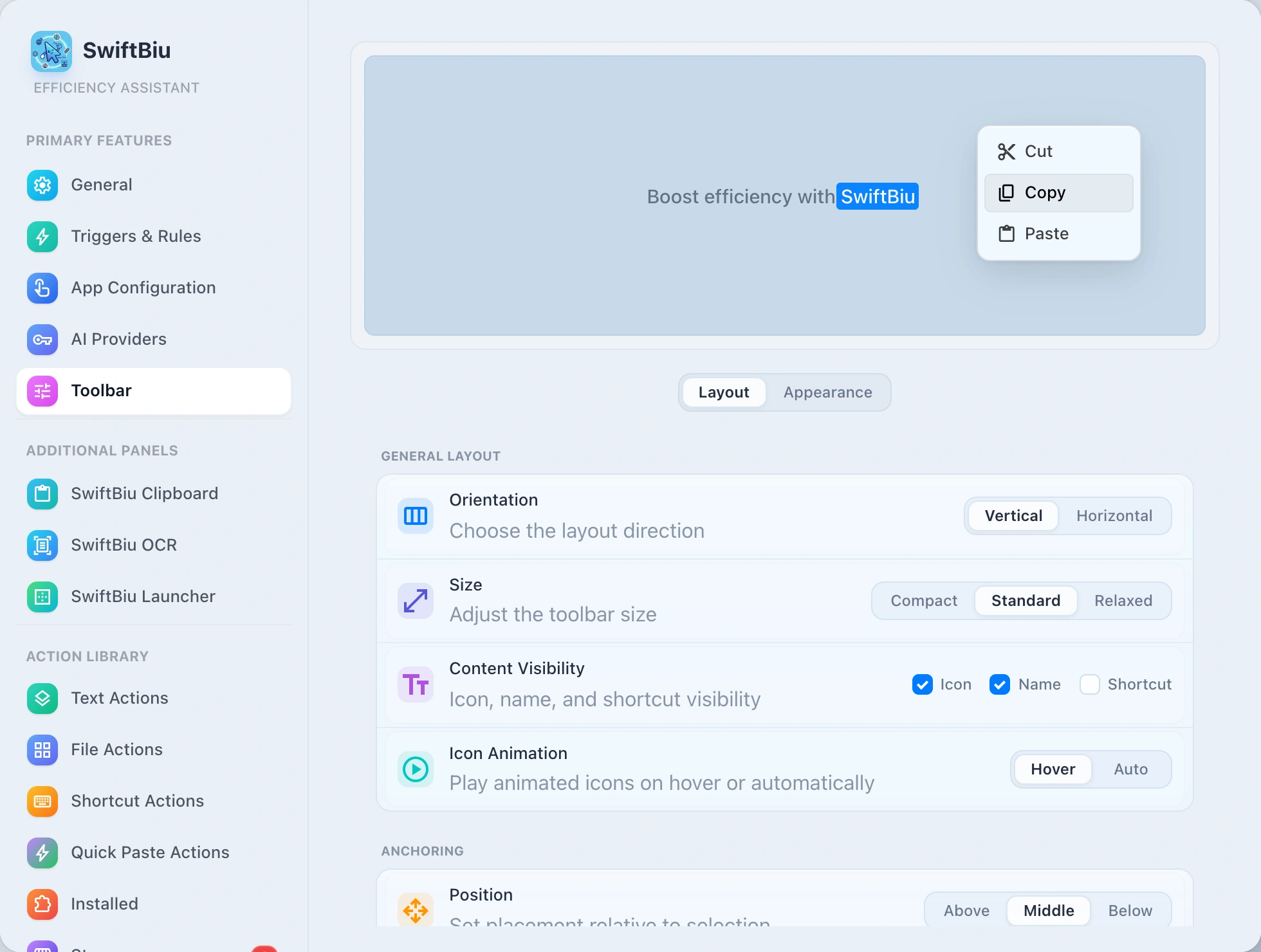
Citeable product facts (last verified in product data 2026-10-22; page checked 2026-11-09): Windows preview version 0.6.89; Windows 10 22H2 (x64) / Windows 11; architectures x64 and ARM64; verified on Windows 10 22H2 x64; Windows 11 and ARM64 hardware validation pending; preview includes selection toolbars, translation and AI, file actions, and plugins; platform-specific APIs and feature availability differ from macOS stable. Official PopClip remains Mac-only at popclip.app. The image below is the macOS selection-toolbar reference for the same select-text → toolbar interaction—Windows-specific UI screenshots are not published yet.

Read the Text actions section in the guide →
SwiftBiu selection toolbar on macOS (reference for the same select-text → toolbar interaction; Windows preview UI screenshots not published yet)

When to stay on PopClip (Mac) or wait

Stay on PopClip if you only use macOS and want its mature Mac selection toolbar and extension ecosystem. Prefer the SwiftBiu macOS build (including App Store edition) when you want the broader macOS context-action catalog. Choose the SwiftBiu Windows preview when you specifically need a PopClip-like select-text toolbar on Windows and accept preview-stage limits. For a Mac-focused PopClip alternative write-up, see the PopClip alternative for macOS page; for a side-by-side matrix, see SwiftBiu vs PopClip.

When this Windows preview page is the right fit

  • You searched for PopClip for Windows or a PopClip alternative on Windows and need a clear answer that PopClip itself is Mac-only.
  • You want a select-text → toolbar → Translate (built-in window) loop on Windows 10 22H2 / Windows 11.
  • You need the published Windows preview scope: selection toolbars, translation/AI, file actions, and plugins—not a claim of full macOS feature parity.
  • You can install the matching x64 or ARM64 preview package and will treat Windows 11 / ARM64 validation as incomplete.
  • You already use SwiftBiu or PopClip on Mac and want a related habit on a Windows machine without inventing unsupported Mac-only features on Windows.

Preview caveats, platform limits, and what not to assume

  • Windows support is preview, not a finished PopClip-for-Windows clone. Expect evolving behavior and incomplete parity with the macOS stable catalog.
  • Verified on Windows 10 22H2 x64. Windows 11 and ARM64 packages exist, but real-device hardware validation is still incomplete.
  • Published Windows preview scope is selection toolbars, translation and AI, file actions, and plugins. Do not assume AirDrop, Reveal in Finder, iCloud sync, App Store edition, or other macOS-only capabilities on Windows.
  • Platform-specific APIs differ: some triggers, integrations, or actions may be unavailable or behave differently than on macOS.
  • There is no radial wheel. Select text to open the toolbar directly; Translate opens the built-in translation window.
  • This page does not claim Windows store pricing, Windows license terms beyond the product fact card, or third-party PopClip extension import on Windows.

PopClip for Windows FAQ

No. PopClip is Instant text actions for macOS on popclip.app. There is no official PopClip Windows product. SwiftBiu’s Windows preview is a separate app that targets a similar select-text toolbar habit.
The Windows preview lists Windows 10 22H2 (x64) / Windows 11, with separate x64 and ARM64 installers (version 0.6.89). It is verified on Windows 10 22H2 x64; Windows 11 and ARM64 still need fuller hardware validation.
Select text in a supported app. The SwiftBiu toolbar appears directly beside the selection—no radial wheel. Choose Translate to open SwiftBiu’s built-in translation window, or run another preview-supported action.
Product facts state the Windows preview includes selection toolbars, translation and AI, file actions, and plugins. Feature availability still differs from macOS because of platform-specific APIs.
No. The feature catalog describes macOS stable. Mac-only examples include AirDrop, Reveal in Finder, iCloud sync, and the App Store edition. Do not expect those on the Windows preview.
Use the official Windows preview packages: SwiftBiu-win-x64.zip and SwiftBiu-win-arm64.zip from the windows-preview-v0.6.89-build1 release, also linked from the site download menu and #platforms section.
No. SwiftBiu uses its own SwiftBiuX plugin model. It does not claim PopClip extension import compatibility on Windows or macOS.
Yes. For a Mac PopClip alternative guide, open the PopClip alternative for macOS use case. For a comparison matrix, open SwiftBiu vs PopClip. This page is specifically for the Windows preview intent.

Try the Windows preview selection toolbar

Download SwiftBiu Windows preview 0.6.89 (x64 or ARM64), select text to open the toolbar, and run Translate in the built-in window—knowing Windows 11 / ARM64 validation is still incomplete.